SMS
SMS reminders
North America, some of South America, and some of the EU. For exceptions in service, click here. SMS is optional, and it is included on Pro, Tucker, and Founder. Creating an account, sending email, or texting a note to Tuck does not subscribe you.
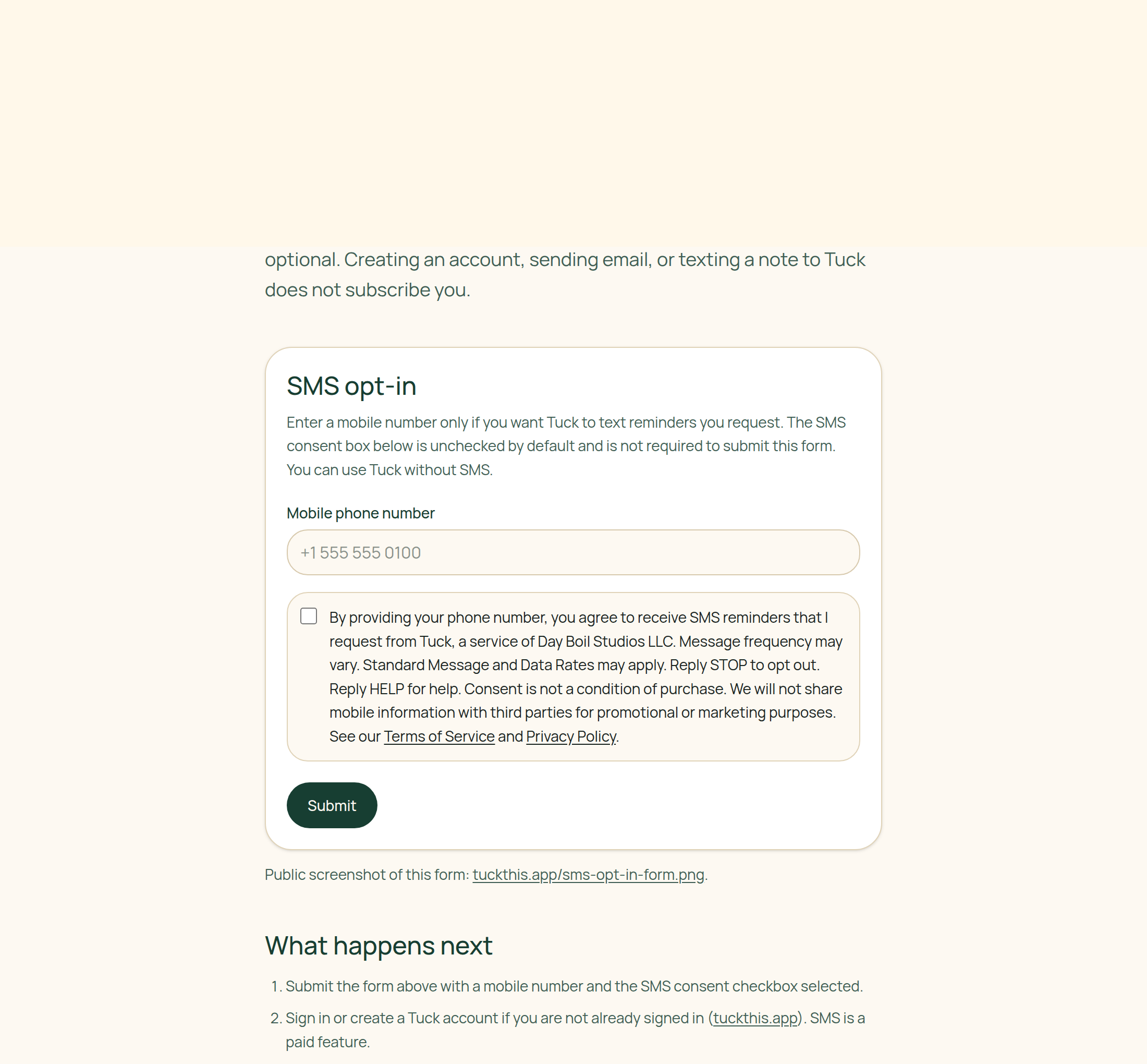
Public screenshot of this form: tuckthis.app/sms-opt-in-form.png.
What happens next
- Submit the form above with a mobile number and the SMS consent checkbox selected.
- Sign in or create a Tuck account if you are not already signed in (tuckthis.app). SMS is a paid feature.
- We text a 6-digit verification code to that number. Enter it here after you sign in, or in Settings → Ingest (
/settings/ingest), which uses the same form. - After the number is verified we send a confirmation text. Where text reminders are available, they go only to that number and only when you ask. For other numbers we accept, reminders go by email, and we text only to verify the number and for STOP, START, and HELP.
Keywords
- Opt in
- START
- Opt out
- STOP, UNSUBSCRIBE
- Help
- HELP
Program messages
- Opt-in / START
- Tuck: You're subscribed to SMS reminders you request. Message frequency varies. Msg & data rates may apply. Consent is not a condition of purchase. Reply HELP for help or STOP to opt out.
- Opt-out / STOP
- Tuck: You have unsubscribed from SMS messages. No further messages will be sent. Reply START to resubscribe.
- HELP
- Tuck: For help, email support@tuckthis.app. Msg & data rates may apply. Reply STOP to opt out.
Full legal copy: Terms of Service and Privacy Policy.